Problem Matching
Problem matching reports compiler and linker problems in the editor and the Problems panel. It scans Ceedling’s output for known error, warning, and info lines, much as the problemMatcher of VS Code’s Tasks does. This page covers the setting’s two fields and every property of a custom pattern. The compiler problems guide has patterns for common compilers and linkers.
Turning it on
Problem matching is off by default. The ceedlingExplorer.problemMatching setting turns it on, and the gcc preset suits most projects.
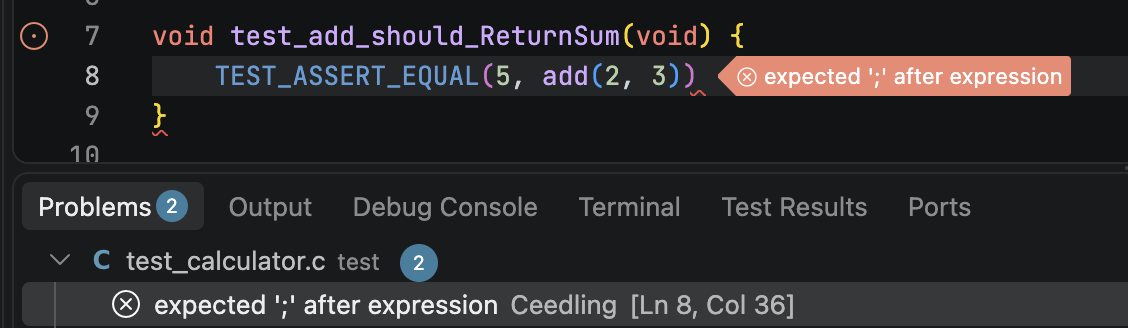
Ceedling shows a compiler’s or linker’s output only when that tool fails, so problems appear from failed builds. A file that compiles with only warnings shows none, at Ceedling’s default verbosity. Every build that finishes scans its output, and a cancelled build scans none. A test file’s build replaces the problems its last build reported, and a project’s build replaces those of every build in the project. A fixed problem therefore clears with the next build of the test file or project that reported it. Setting mode to "disabled" clears every problem at once.
The setting’s fields
Two fields select the patterns used.
| Field | Description |
|---|---|
mode |
"disabled", the "gcc" preset, or "patterns" for the custom patterns below. By default it is "disabled". |
patterns |
Custom pattern objects. With mode set to "patterns", each one scans Ceedling’s output line by line. By default it is []. |
Pattern properties
Each custom pattern is a regular expression, plus the indexes of its capture groups. A match reports one problem, at the file and lines its groups capture.
| Property | Description |
|---|---|
regexp |
The regular expression matching a problem line, in ECMAScript (JavaScript) syntax. In JSON, each backslash is doubled. regex101 helps while experimenting. Required. |
message |
The capture group holding the problem’s message. Required. |
file |
The capture group holding the problem’s file. Required. |
line |
The capture group holding the problem’s (first) line. Unused when null or absent. |
lastLine |
The capture group holding the problem’s last line. Unused when null or absent. |
column |
The capture group holding the problem’s (first) column. Unused when null or absent. |
lastColumn |
The capture group holding the problem’s last column. Unused when null or absent. |
severity |
The severity of the problems this pattern finds: "error", "warning", or "info". By default it is "info". |
filePrefix |
Prepended to a relative file path to make it absolute. ${projectPath} becomes the project’s directory. An empty string, the default, means reported paths are already absolute. |
scanStderr |
Scan Ceedling’s stderr for problems. Compilers write their diagnostics there. By default it is true. |
scanStdout |
Scan Ceedling’s stdout for problems. By default it is false. |
This pattern matches GCC’s compiler warnings.
{
    "severity": "warning",
    "filePrefix": "${projectPath}",
    "regexp": "^(.*):(\\d+):(\\d+):\\s+warning:\\s+(.*)$",
    "message": 4,
    "file": 1,
    "line": 2,
    "column": 3
}
A pattern whose regular expression is invalid matches nothing, and the extension’s log warns about it. A pattern missing its regexp, message, or file is skipped, and only the log’s debug level mentions it.